The Problem
Three problems every AI calendar misses
You're not alone. Most professionals struggle with the same three problems.
Meetings Eat Your Day
Back-to-back calls leave no time for the work that actually matters. You end up doing deep work at midnight.
Task Lists Ignore Your Calendar
Your to-do list and calendar live in separate worlds. Some tools try to bridge them but bury you in projects, dashboards, and features you never asked for.
Your Schedule Shouldn’t Feed Someone Else’s AI
Most AI calendar tools send your meetings, tasks, and daily patterns to cloud servers — often processed by third-party AI models you never agreed to. Your schedule is deeply personal data.
We built AI Calendar Buddy to solve all three.
Features
Everything You Need to Own Your Time
AI scheduling, calendar management, and task tracking — nothing more, nothing less.
AI-Powered Scheduling
On-device AI fits unscheduled tasks into open calendar slots, respecting your working hours and existing events.
Apple Intelligence Ticket Entry
Describe what you need (“Three 1-hour blocks for the launch next week”) and on-device AI creates the tickets, sized and ready to schedule.
Weekly Calendar View
7-day grid with drag-and-drop task placement and dual timezone support.
Multi-Calendar Integration
Reads every calendar in Apple’s EventKit — iCloud, Google, Outlook, Exchange. If it’s on your device, we see it.
Hour-Based Estimates
Size every task in hours (0.25h–40h). Log 1h of a 4h task and only the remaining 3h gets reblocked.
Project Management
Color-coded projects with kanban boards, 5 priority levels, and 9 issue types.
Widgets
Today’s schedule on your Home Screen and Lock Screen — always one glance away.
Privacy-First AI
All AI runs on Apple Intelligence. No data sent to OpenAI, Anthropic, or any third-party cloud.
Deep Dive
See How It Works
The two features that make AI Calendar Buddy different. Project management, Today Focus, widgets, and more on the features page.
AI Scheduling
One tap and your tasks are intelligently placed around meetings, breaks, and focus blocks. The AI runs entirely on your device through Apple Intelligence — no server round-trips, no waiting, no third-party AI model in the loop.
- On-device AI processing
- Priority-aware ordering
- Automatic conflict avoidance
- One-tap reschedule
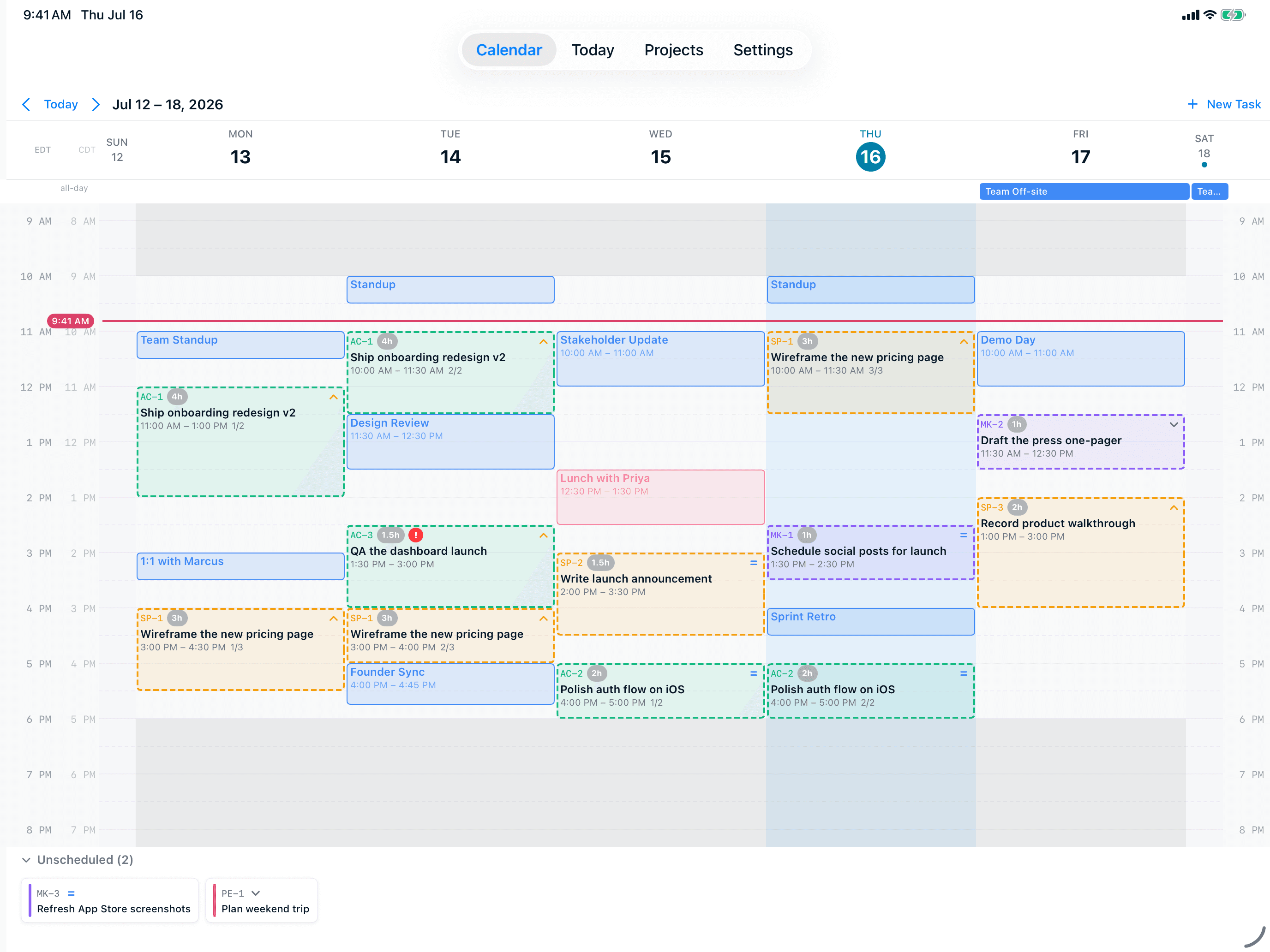
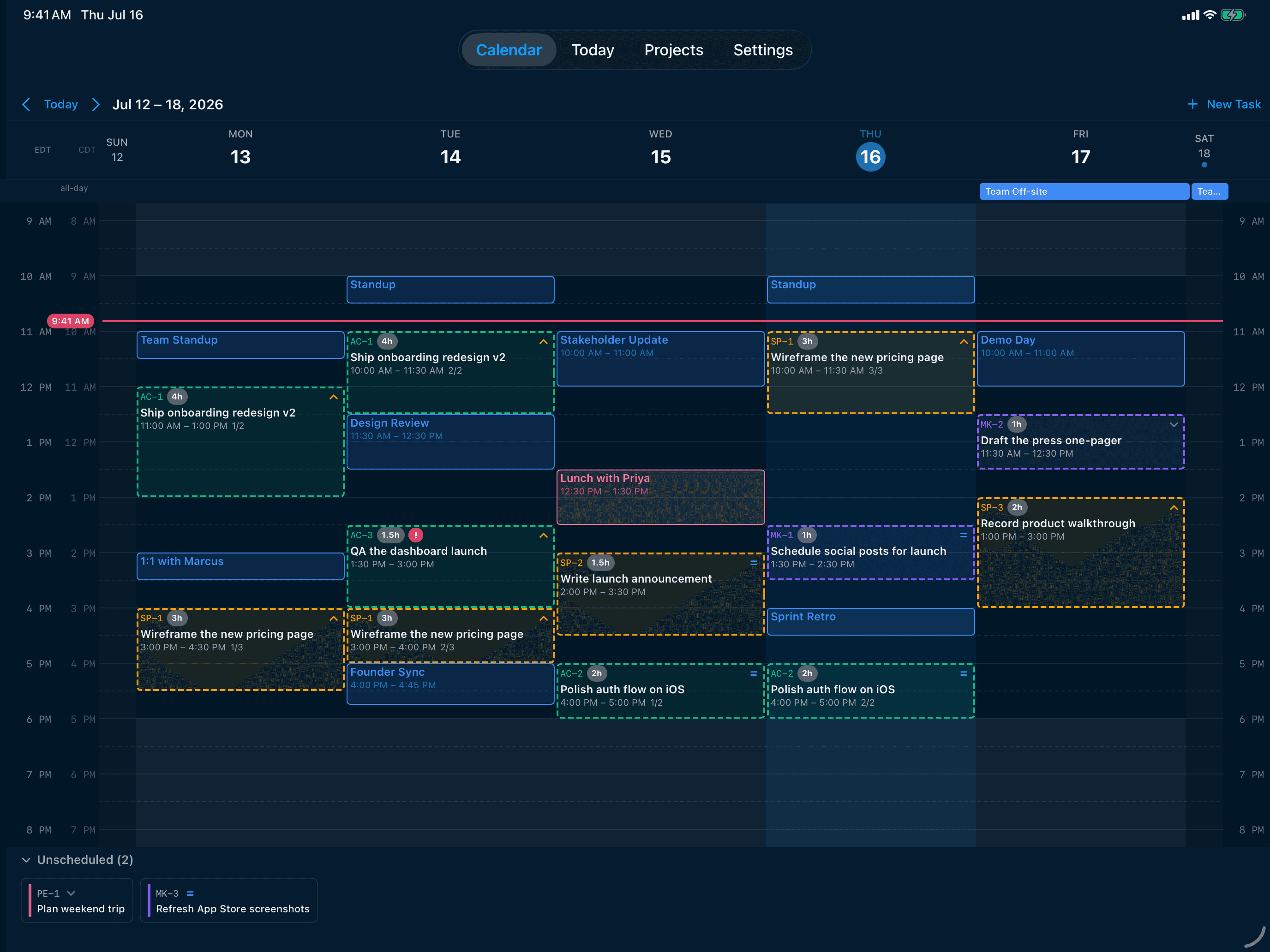
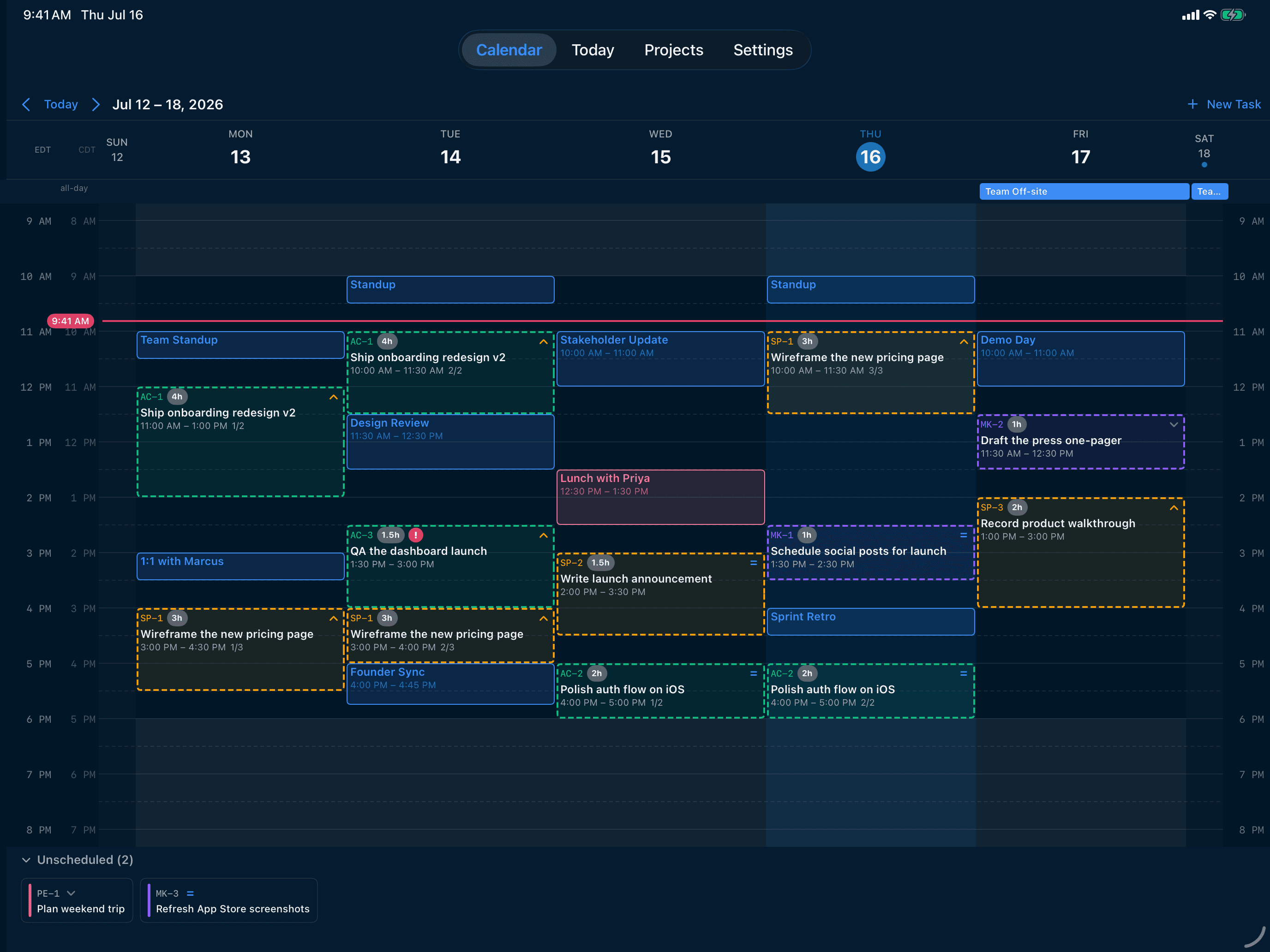
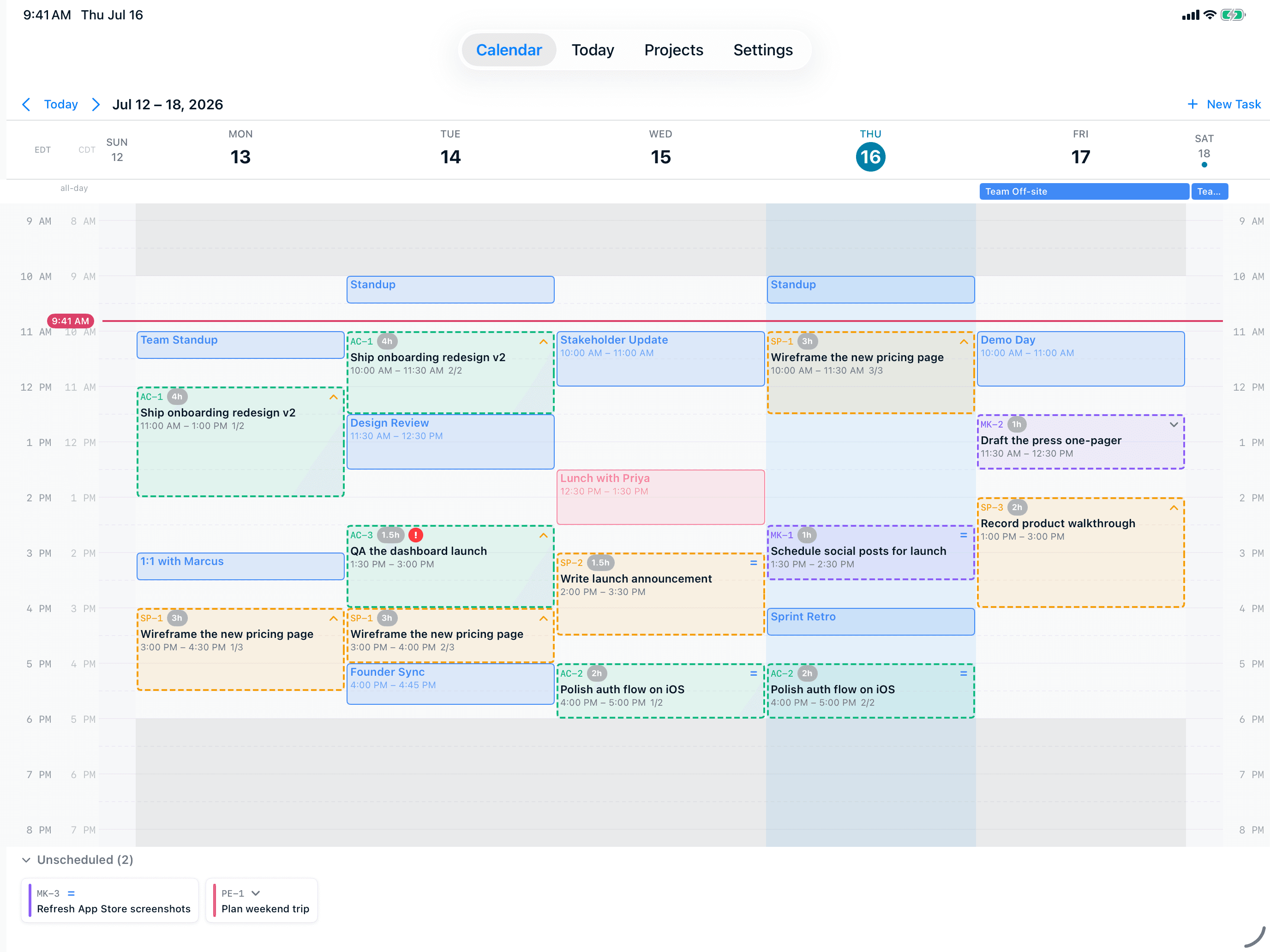
Weekly Calendar View
See your entire week at a glance in a clean 7-day grid. Drag and drop tasks to reschedule instantly. Toggle dual timezone display for remote teams. Non-working days collapse to save space.
- 7-day grid with hour slots
- Drag-and-drop rescheduling
- Dual timezone support
- Non-working day collapse
Platforms
Finally, an AI Calendar for Apple Users
Built natively with SwiftUI. Reads every calendar on your device — including Apple Calendar, which most AI scheduling tools can't even access. CloudKit keeps everything encrypted and in sync.
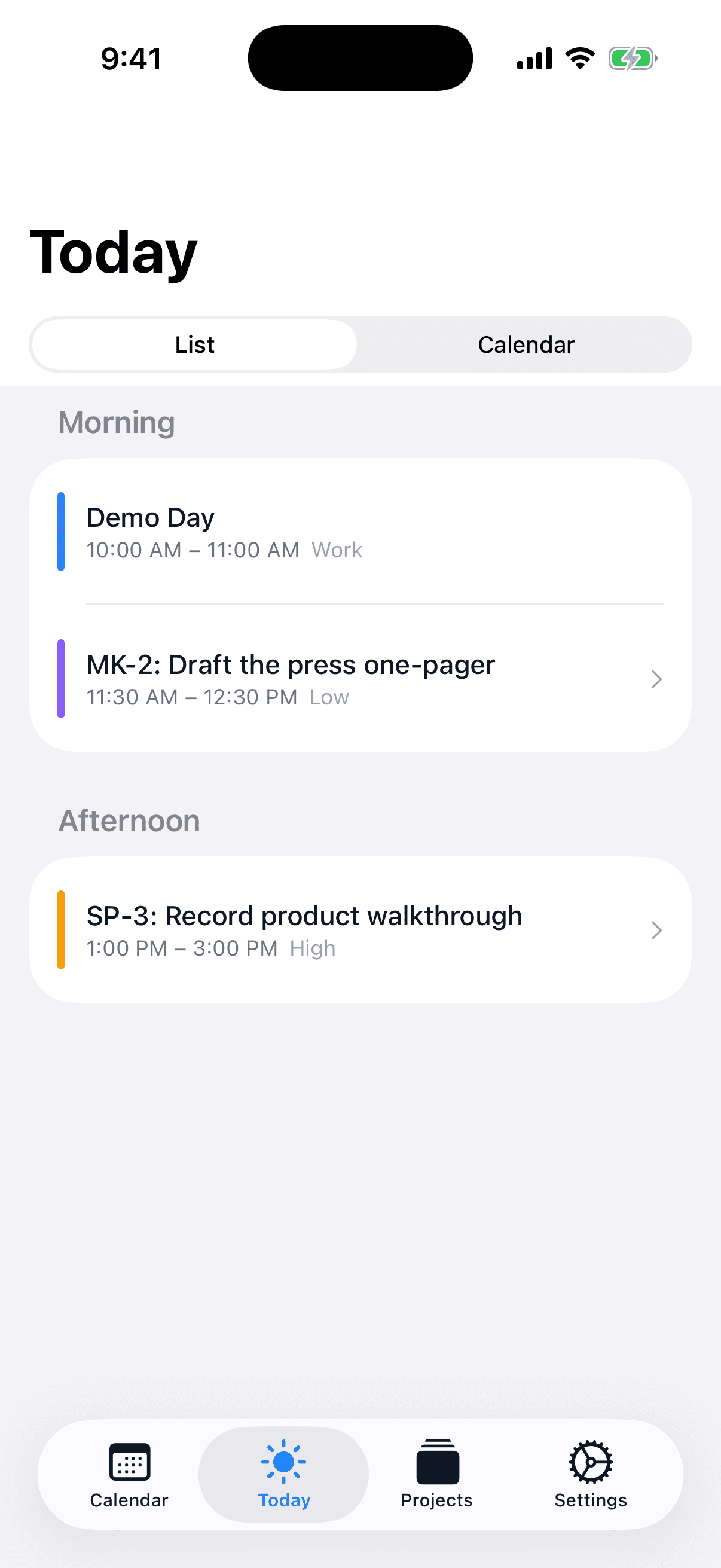
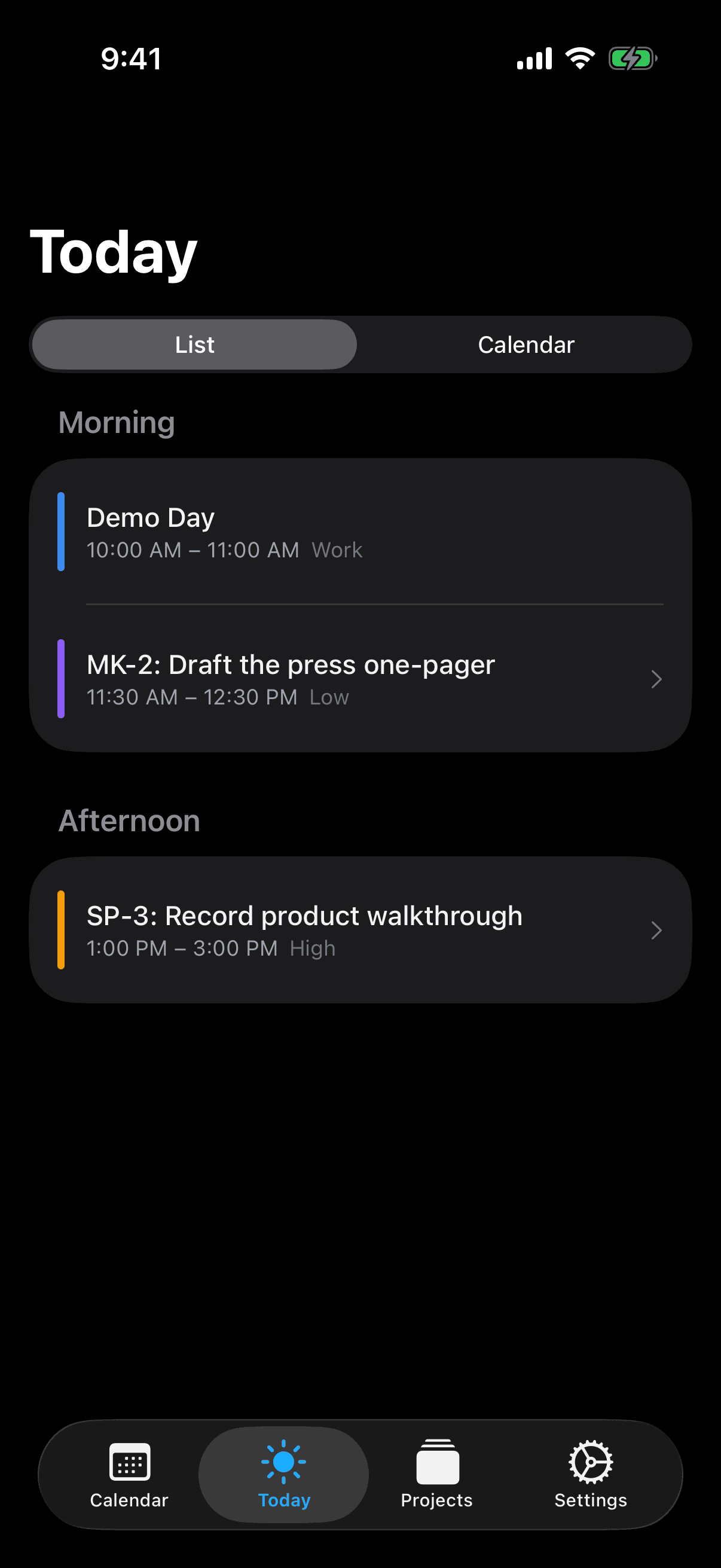
iPhone
iPad
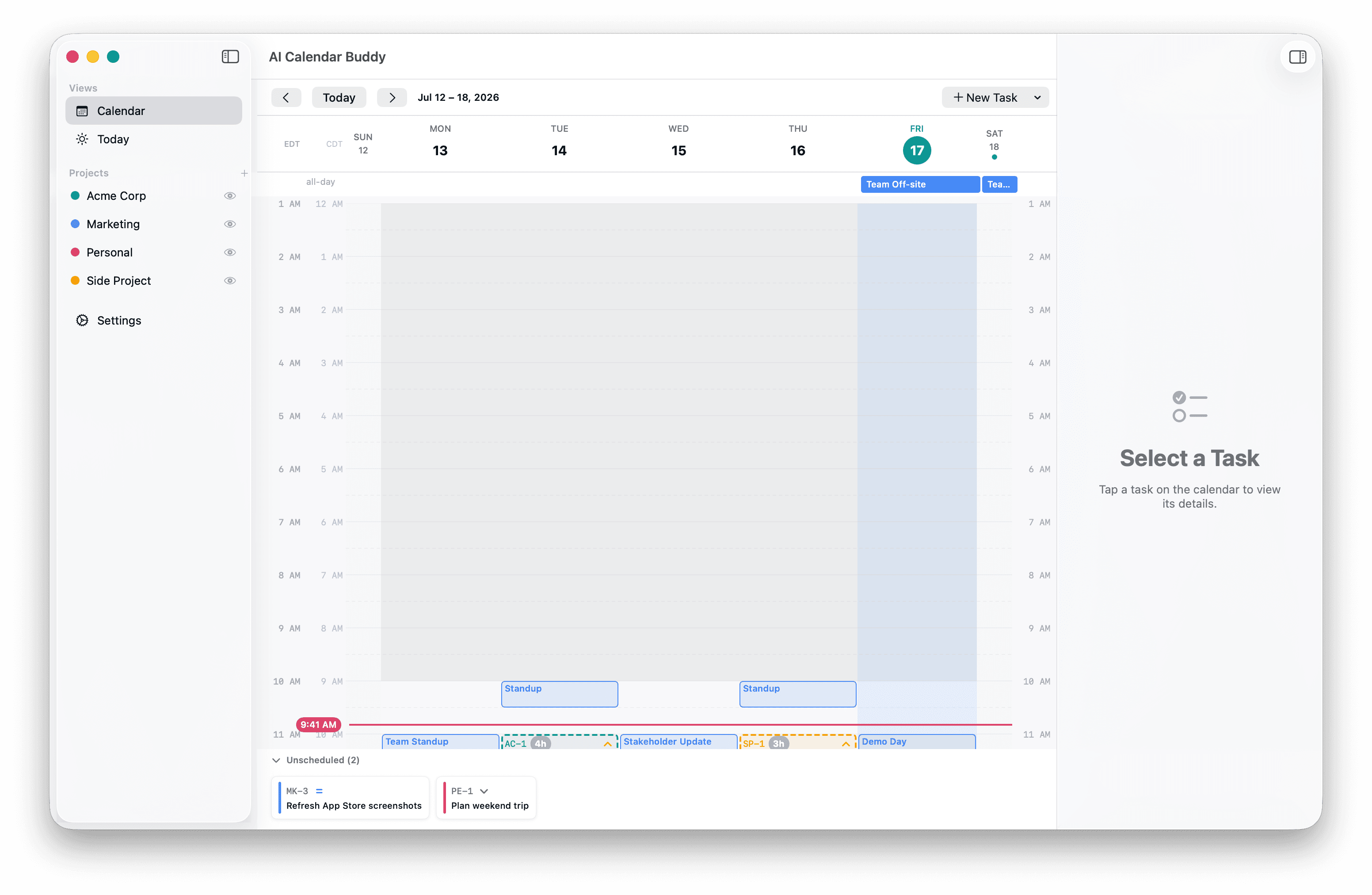
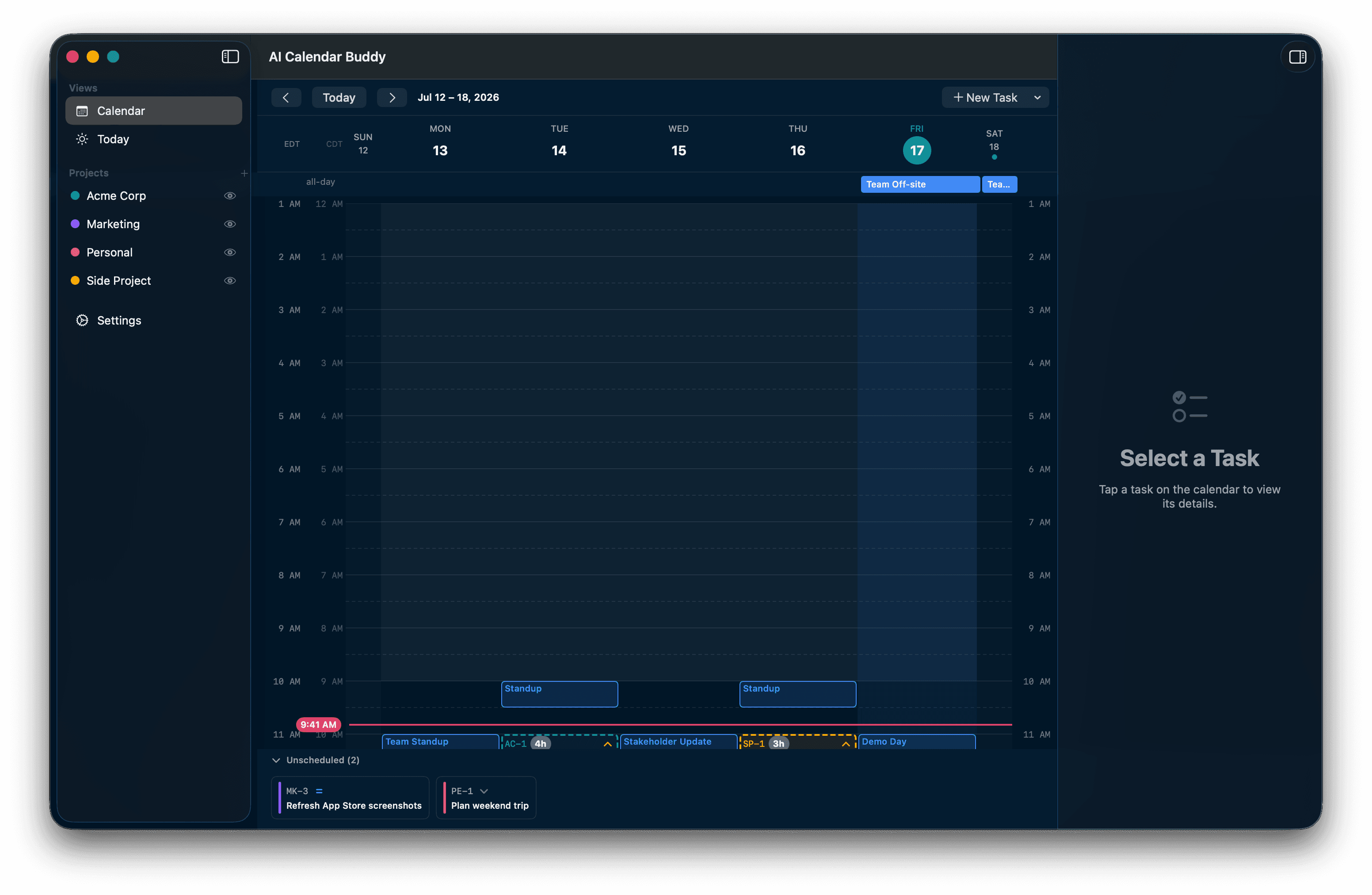
Mac
Seamless sync across all devices with CloudKit
Want AI Calendar Buddy on Android?
We're exploring Android support based on demand. Let us know which devices you use when you sign up below.
Explore
Learn more about AI Calendar Buddy
FAQ
Frequently Asked Questions
The top questions about AI Calendar Buddy. Full answers and more topics on the FAQ page.
What is AI Calendar Buddy?+
AI Calendar Buddy is a private AI-powered scheduling app where the AI runs entirely on your device. Built natively for iPhone, iPad, and Mac, it reads your existing calendars (including Apple Calendar), understands your working hours, and uses Apple Intelligence to place tasks into the best available time slots — no third-party AI, no CamSoftware servers. Cross-device sync uses CloudKit — your own iCloud account, encrypted by Apple.
How is this different from other AI calendar apps?+
Most AI calendar tools process your data on cloud servers using third-party AI models, require specific calendar providers (often excluding Apple Calendar), and bundle in project management, docs, or team features you may not need. AI Calendar Buddy takes the opposite approach: all AI runs on your device, it works with any calendar available through Apple's system (iCloud, Google, Outlook, Exchange), and it focuses on doing one thing well — intelligently scheduling your tasks around your real calendar.
Is my data private?+
Yes — and not the usual "we encrypt your data" version. We operate zero servers of our own. The AI runs on-device through Apple Intelligence, and cross-device sync uses Apple's encrypted CloudKit (your private iCloud database, not ours). Unlike tools that route your schedule through OpenAI or Anthropic APIs, your information never touches a third-party AI model.
What calendars does it work with?+
AI Calendar Buddy integrates with any calendar available through Apple's EventKit, which includes Apple Calendar, Google Calendar, and Microsoft Outlook. If it shows up in your Apple Calendar app, AI Calendar Buddy can read it.
When will it be available?+
AI Calendar Buddy is currently in development with a beta launching soon. Sign up for the waitlist to get notified when early access opens.
Beta Access
Join the Beta Waitlist
Be among the first to try AI Calendar Buddy. We'll notify you as soon as spots open up.