Deep Work, Protected.
An AI calendar built by engineers, for engineers. Apple Intelligence schedules your deep-work blocks around the meeting load, and an MCP server lets Claude Code read and write your tasks directly.
Why generic calendars don't work for shipping software
Engineering work needs uninterrupted focus, but the calendar app you inherit from your job is built for the meeting-driven half of the company. Tasks live in Jira / Linear / GitHub; meetings live in Outlook or Google; deep work lives in an unbookable mental commitment that gets steamrolled the moment someone sends a Calendly link.
- Deep-work blocks that aren't on the calendar get scheduled over by everyone else.
- Story-point estimates and hour-based scheduling are in different systems — keeping them in sync is manual.
- Most AI calendars push your task names and ticket IDs to third-party cloud AI providers, which is a non-starter when those IDs map to confidential roadmap work.
- Calendar tooling rarely speaks the language of engineers — no scripting, no programmatic access, no Mac-native keyboard control.
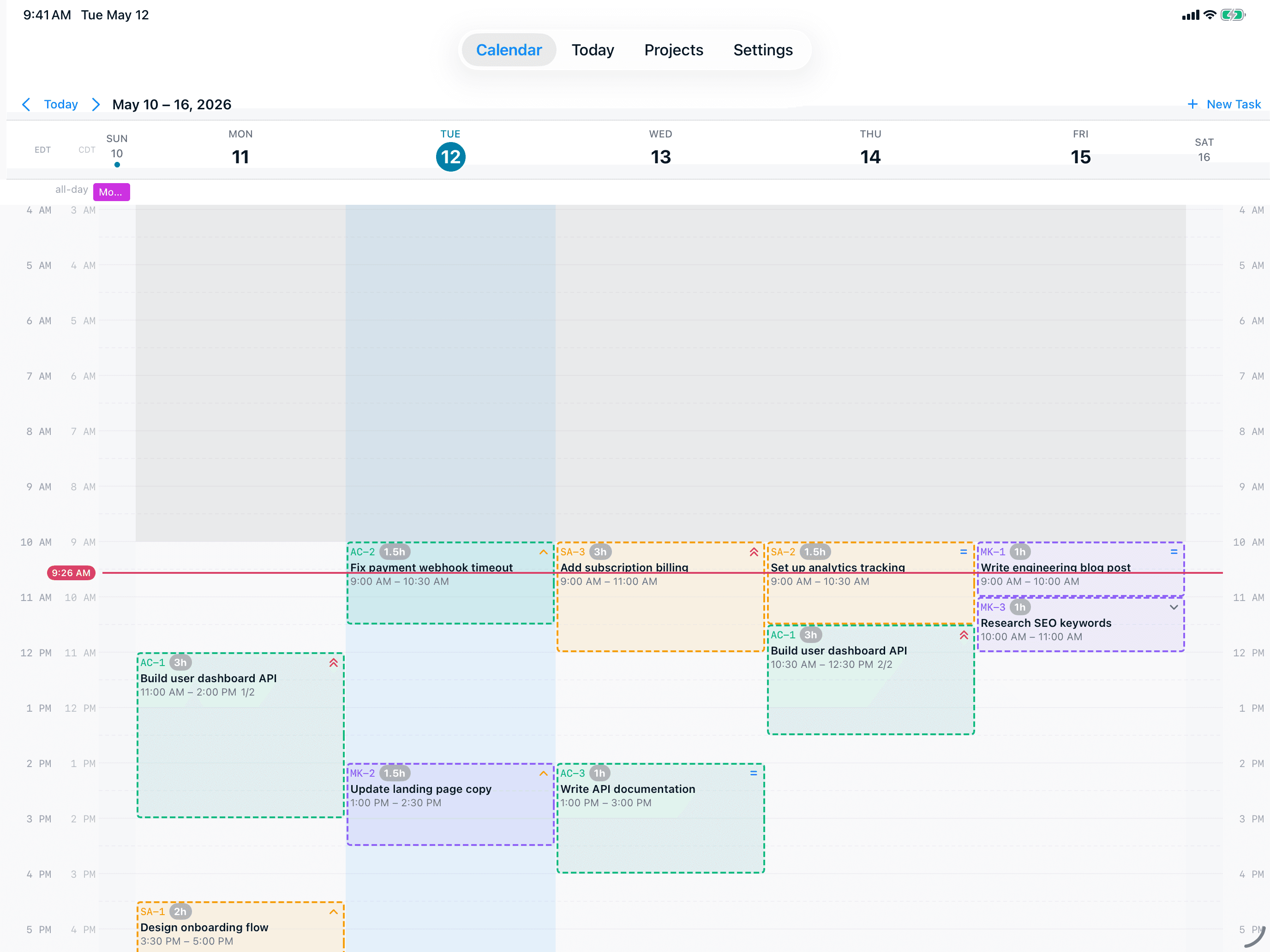
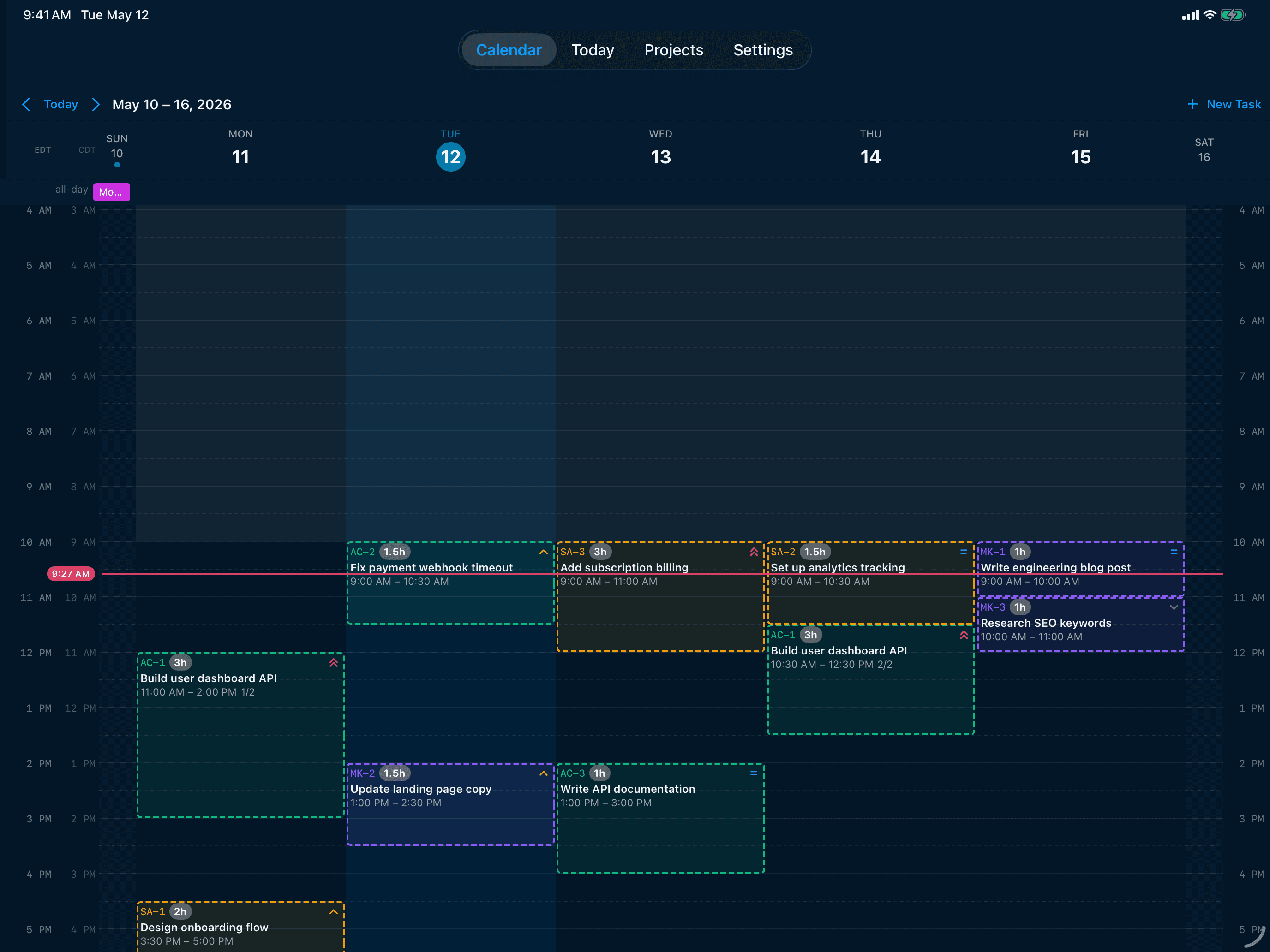
A Day in the Life
How AI Calendar Buddy fits your work
Step 1
Pull tickets from your tracker
Use the MCP server to let Claude Code read tickets from Jira, Linear, GitHub, or any tracker with an API, and create matching tasks in AI Calendar Buddy — sized in real hours, not story points. Or use natural-language entry on the device: "Three 90-minute blocks for the auth refactor, two hours for the migration review, four hours of code review across the week."
Step 2
Schedule around the meeting load
Apple Intelligence reads your real calendar (every standup, every sync, every "quick chat") and places your engineering blocks into the gaps. Priority-aware ordering pushes critical work into your best focus hours; non-critical investigations get pushed late or deferred.
Step 3
Big tasks split automatically
A 16-hour refactor doesn't get jammed into one impossible day. Smart task splitting breaks large blocks into focused sessions that fit the time you actually have, while honoring dependencies.
Step 4
Drive the app from the keyboard
Mac keyboard shortcuts cover navigation, creation, and rescheduling — no mouse required. Today Focus view stays open in a window while you work; widgets surface what's next without context switch.
Features That Matter
The features built for engineers
Built-in MCP server
The macOS app exposes a Model Context Protocol server on localhost. Register it with Claude Code and your tasks, projects, and sessions become a queryable, writable surface — useful for syncing from external trackers without giving a SaaS app full data access.
Hour estimates from 15 min to 40 hours
Real hours, partial-completion aware. Log progress as you ship and only remaining time gets reblocked. Maps cleanly to engineering estimates without forcing you into story points.
Smart task splitting
Large estimates split into focused sessions that fit your available blocks, respecting dependencies. No more 8-hour mega-blocks that get destroyed by one surprise meeting.
Dependencies
Block ticket B on ticket A and the scheduler honors the chain. Prerequisites always come first, so you don't accidentally start work that's blocked upstream.
Keyboard-first on Mac
Mac keyboard shortcuts for everything that matters: navigation, creation, rescheduling, completing. Stay on the keyboard, stay in flow.
Confidential roadmap data stays private
Ticket titles, project codenames, and roadmap details never reach a third-party AI provider or a CamSoftware server. All AI runs on-device via Apple Intelligence — important when your tasks include unannounced features.
Plays nicely with engineering tools
Pair the MCP server with Claude Code, Cursor, or any MCP client to script ticket creation, bulk re-prioritization, or end-of-week reporting. No SaaS lock-in.
On-device AI = no review board
Because Apple Intelligence runs locally, there's no "we send your data to OpenAI" conversation to have with security. The third-party AI exposure surface is zero.
Git-style task statuses
Todo / In Progress / Done / Cancelled. Familiar mental model, no busy-work transitions, fast keyboard updates.
FAQ
Questions engineers ask
What's the MCP server, exactly?+
The macOS app runs an in-process HTTP MCP (Model Context Protocol) server on a fixed localhost port while the app is open. Register it once with Claude Code (claude mcp add --transport http ai-calendar-buddy http://127.0.0.1:52761/mcp) and Claude can read and modify your tasks, projects, and sessions. The server only responds while the app is running and never exposes anything beyond localhost.
Can I import tickets from Jira / Linear / GitHub?+
Indirectly, via the MCP server. Ask Claude Code (or another MCP client) to pull tickets from the source tracker and create matching tasks in AI Calendar Buddy. There are no first-party direct integrations to those trackers today — we believe this scripted approach gives you more control than handing your tracker credentials to a calendar app.
Does it work with my Outlook / Google work calendar?+
Yes. AI Calendar Buddy reads any calendar surfaced through Apple's EventKit — including Google Workspace and Microsoft 365. Your IT department doesn't need to allow anything new; if your work calendar already syncs to your Mac or iPhone, AI Calendar Buddy sees it.
Is roadmap or confidential ticket data exposed to third-party AI?+
No. AI Calendar Buddy runs all AI on-device through Apple Intelligence. Ticket titles, codenames, and descriptions are never sent to OpenAI, Anthropic, or any third-party AI provider — and never to a CamSoftware server (we don't operate one).
Does it work with Apple Watch and widgets?+
Home Screen and Lock Screen widgets surface the next deep-work block without unlocking your phone. An Apple Watch app is in development, coming after launch.
What about Linux or Windows?+
Not supported today. AI Calendar Buddy is Apple-native because on-device AI depends on Apple Intelligence and tight EventKit integration. If you primarily work on Linux or Windows, this isn't the right tool.
Can I script bulk operations?+
Yes — through the MCP server. Bulk task creation, reprioritization, and reporting are all possible by scripting against the MCP tools from Claude Code or any MCP client.