AI Calendar Buddy vs Reclaim.ai: On-Device AI vs Cloud Scheduling
Both apps automatically place tasks into your calendar. The difference is where that automation runs — and whether your schedule ever leaves your device.
TL;DR
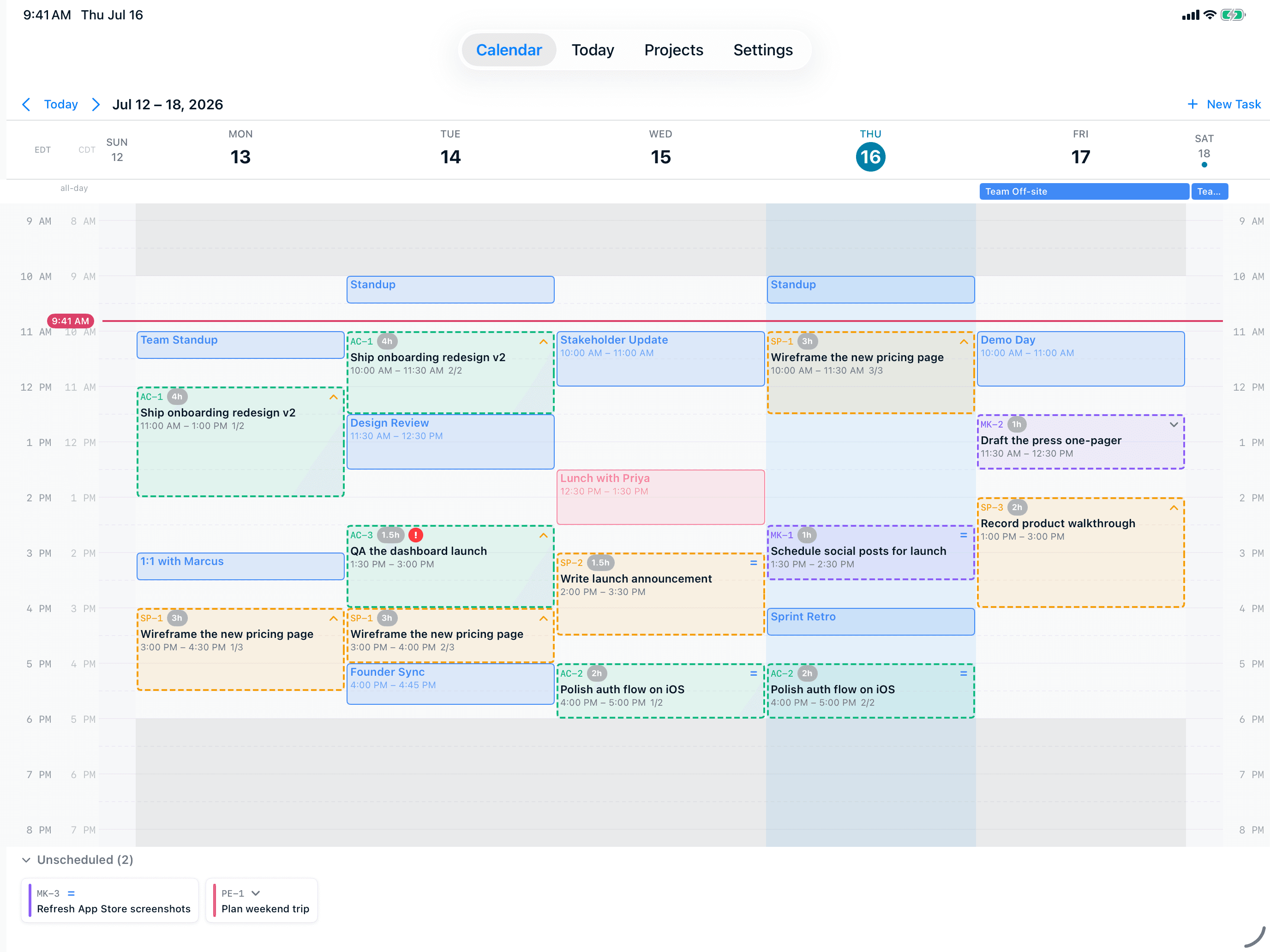
Reclaim.ai is a polished cloud-based scheduling assistant for Google Calendar (and Outlook) that's especially good at protecting habits and recurring 1:1 meetings. But it requires your full calendar in its cloud and a paid subscription for its AI features. AI Calendar Buddy is an Apple-native alternative: AI runs on your device through Apple Intelligence, sync uses your private iCloud, and Apple Calendar is a first-class citizen. Pick Reclaim.ai if you live in Google Calendar on the web; pick AI Calendar Buddy if you live on Apple devices and want privacy as a default.
AI Calendar Buddy vs Reclaim.ai
Reclaim.ai is a web-based AI scheduling assistant focused on Google Calendar (with Outlook support) that auto-finds time for habits, tasks, and 1:1 meetings.
Visit Reclaim.ai’s sitePricing and feature claims about Reclaim.ai were verified on May 2026. Third-party products change frequently — check Reclaim.ai’s site for the most current information. Spotted something out of date? Email aicbsupport@aicalendarbuddy.com and we’ll fix it.
| AI Calendar Buddy | Reclaim.ai | |
|---|---|---|
| Where AI runs | On your device via Apple Intelligence — no third-party AI | Reclaim.ai's cloud — schedule data processed remotely |
| Primary calendar | Any calendar in Apple's EventKit — including Apple Calendar | Google Calendar first; Outlook supported |
| Apple Calendar (iCloud) | Native via EventKit | Not supported as a primary calendar |
| Works offline | AI scheduling works offline | Requires connection to Reclaim's cloud |
| Habits & recurring blocks | Working hours, blocked dates, auto-rollover | Mature "Habits" feature for recurring blocks |
| Meeting scheduling links | Not in current scope | 1:1 scheduling links and team availability |
| Native Mac app | Yes — SwiftUI | Web app with menu-bar helper |
| iPhone and iPad apps | iPhone, iPad, and Mac native apps | Mobile via web |
| Data storage | Your private iCloud — no CamSoftware server | Reclaim.ai servers + their AI provider |
| Pricing | Free tier with AI included; Pro $4.99/mo for unlimited projects | Limited free tier; paid subscription required for AI features |
Where We Differ
What you get with AI Calendar Buddy
On-device AI, not Reclaim's cloud
Reclaim.ai needs continuous access to your full calendar in its cloud to operate — including who you meet with, when, and for how long. AI Calendar Buddy processes the same scheduling decisions locally on your iPhone, iPad, or Mac via Apple Intelligence. No CamSoftware server, no third-party AI provider.
Apple Calendar is a first-class citizen
Reclaim is Google Calendar-first; Apple Calendar isn't a supported primary provider. AI Calendar Buddy reads every calendar surfaced in EventKit — Apple, Google, Outlook, Exchange — through a single Apple API.
iPhone, iPad, Mac — built native
AI Calendar Buddy ships SwiftUI-native apps on iPhone, iPad, and Mac. Reclaim is primarily a web product.
Offline-capable
On a flight, on a train, or during an outage, AI Calendar Buddy still schedules. Reclaim needs the cloud to think.
When Reclaim.ai is the better choice
We’re biased, but we’ll be honest. Reclaim.ai is a better fit if any of these apply:
- Your team lives in Google Calendar and you want shared scheduling links and team availability built in.
- You depend on Reclaim's "Habits" feature for recurring time blocks — it's more mature than AI Calendar Buddy's working-hours and blocked-dates equivalents today.
- You use Windows, Linux, or Android as a primary device.
- You want 1:1 meeting-booking links (Calendly-style) integrated into your AI calendar.
FAQ
Common questions
Does Reclaim.ai process my data in the cloud?+
Yes. Reclaim.ai stores your calendar data on its servers and routes scheduling decisions through its cloud AI. AI Calendar Buddy runs Apple Intelligence on-device — no calendar data leaves your device for AI processing.
Does Reclaim.ai work with Apple Calendar?+
Not directly. Reclaim.ai supports Google Calendar and Microsoft Outlook. AI Calendar Buddy reads Apple Calendar (iCloud) natively through EventKit alongside Google, Outlook, and Exchange.
Is AI Calendar Buddy missing Reclaim's habits feature?+
Sort of. AI Calendar Buddy supports working hours, blocked dates, and auto-rollover, which cover many habits-style use cases. Reclaim's dedicated "Habits" feature for recurring time blocks is more mature today.
What about scheduling links and team features?+
Reclaim has 1:1 scheduling links and team availability built in. AI Calendar Buddy is solo-first; meeting-booking links are not in the current scope.
How much does AI Calendar Buddy cost vs Reclaim.ai?+
AI Calendar Buddy is free during beta. Reclaim.ai offers a limited free tier and requires a paid subscription for its AI features — see Reclaim's pricing page for current details.
Does AI Calendar Buddy work offline?+
Yes. Because the AI runs on-device, scheduling works without an internet connection. Reclaim.ai requires connectivity to its cloud.
Compare other options
See how AI Calendar Buddy stacks up against more tools.