The AI Calendar That Works on a Plane
Most AI calendar apps stop being intelligent the moment your connection drops. AI Calendar Buddy runs Apple Intelligence on-device, so scheduling works on planes, trains, and through outages.
What it is
An AI calendar that performs scheduling reasoning locally on the device — no cloud round-trip required.
How it works
Apple Intelligence runs on-device. EventKit reads cached calendars locally. CloudKit syncs in the background when connectivity returns.
Works in
Airplane mode, transit dead zones, hotel WiFi black holes, customer-site air-gapped environments.
What still requires internet
Initial calendar sync (Google / Outlook) when events change upstream — handled by iOS / macOS, not the app.
Privacy by-product
If the AI never needs the cloud, your schedule never has to leave your device for AI processing.
What cloud AI calendars require
Continuous connection — when the network drops, the AI features stop working entirely.
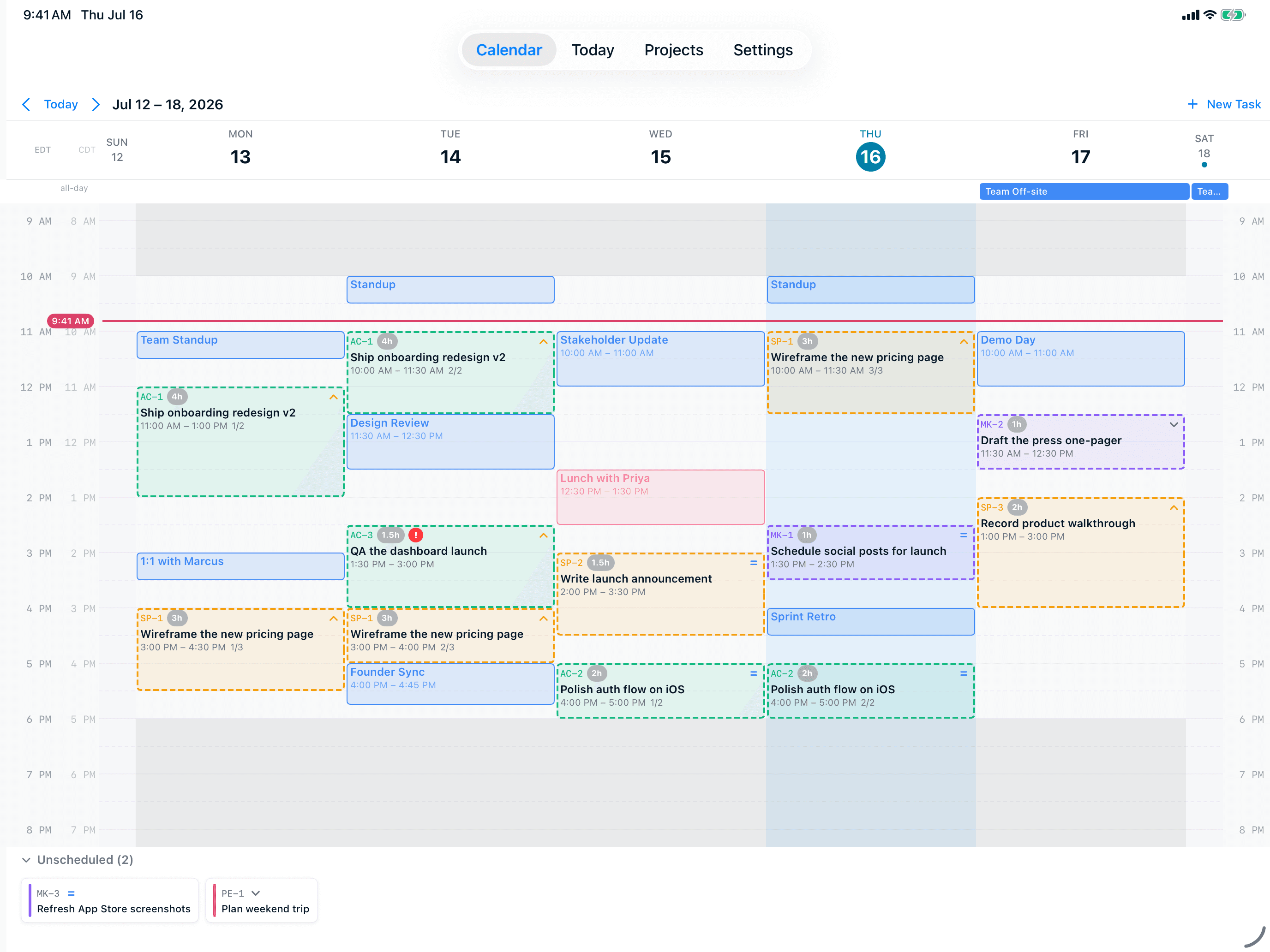
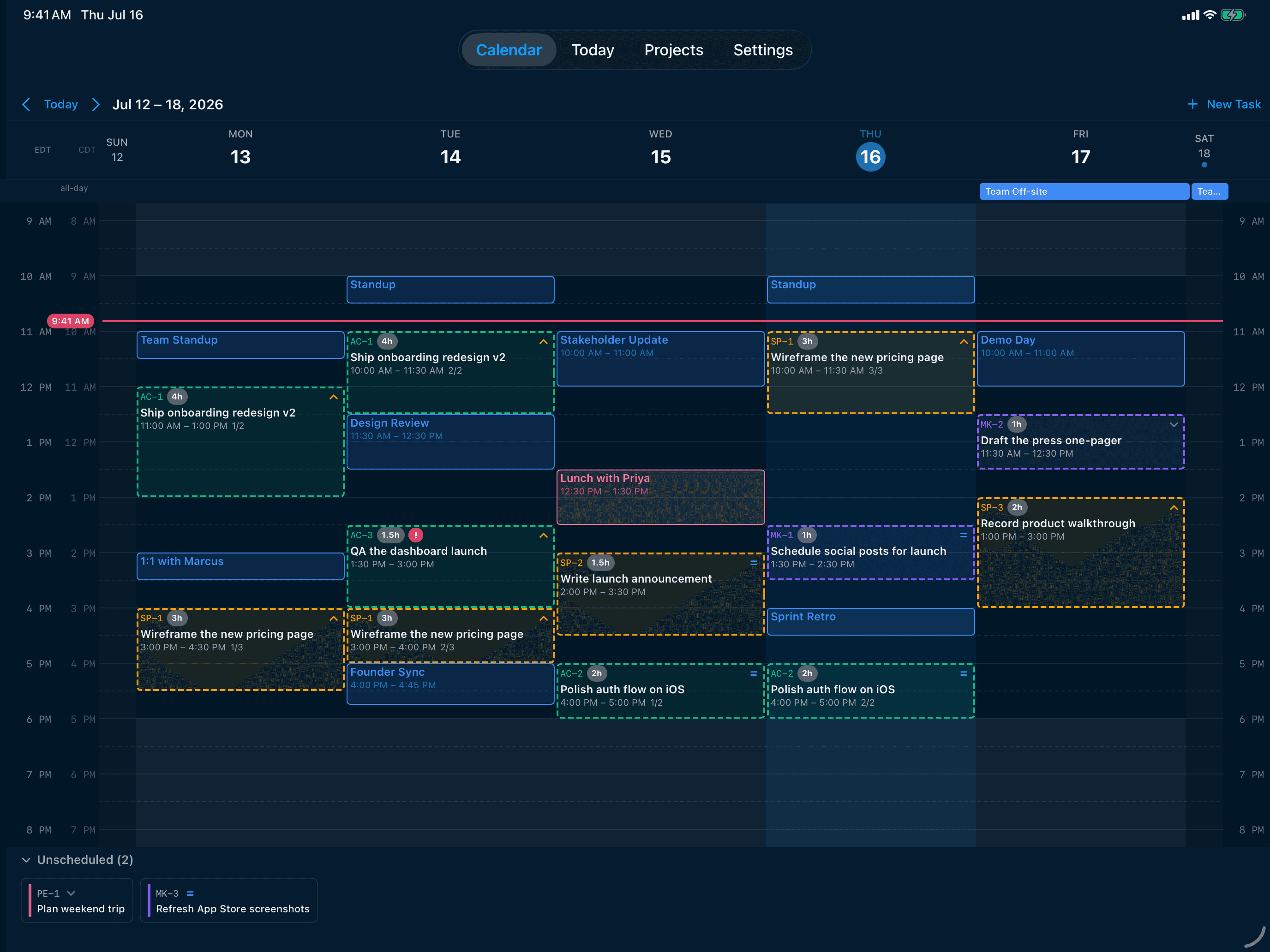
What is an offline AI calendar?
An offline AI calendar is an AI scheduling app that runs its intelligence locally on your device, rather than as a request to a cloud server. When you tap "schedule my tasks," the work happens on your iPhone, iPad, or Mac — not in someone else's data center. This isn't a marketing distinction. Cloud-based AI calendars like Motion, Reclaim.ai, and Sunsama physically cannot do their job when you're offline, because every scheduling decision is a round-trip to their AI servers. An offline AI calendar keeps working when the network drops.
Why an offline-capable calendar matters
Three practical scenarios where offline AI scheduling is the difference between a working tool and a useless one:
- On planes — flights are some of the best uninterrupted planning time available, and most AI calendars are useless precisely when you'd most use them
- In transit — subways, trains, and dead zones across most countries make "requires constant connection" a real limitation
- In hotels and customer sites — captive portals, throttled WiFi, and air-gapped corporate networks all break cloud-only tools
- During outages — when the cloud AI provider has a bad day (which happens), every cloud calendar that depends on it goes down with it
How offline AI scheduling actually works
An offline AI calendar needs three things to function without an internet connection:
- A local AI model — for AI Calendar Buddy, that's Apple Intelligence running on-device
- Locally-cached calendar data — handled by EventKit, which keeps a local copy of your iCloud, Google, and Outlook events
- Local task storage — AI Calendar Buddy stores tasks, projects, and preferences in CloudKit's local cache, which works offline and syncs when connectivity returns
What's different from a cloud AI calendar
The architectural differences cascade into user-facing differences:
- Speed — local AI completes scheduling in seconds with no network round-trip; cloud AI depends on server load and network latency
- Privacy — if the AI never leaves the device, your data never leaves the device for AI processing
- Reliability — outages at OpenAI, Anthropic, or any cloud provider don't affect an on-device AI calendar
- Battery — running AI locally uses battery, but Apple Intelligence is optimized for it; cloud calls also use battery (and bandwidth)
What still needs an internet connection
An offline AI calendar isn't entirely offline — but the cloud isn't doing any AI work. Things that still need a connection (handled by iOS / macOS, not by the app):
- Initial sync of Google and Outlook calendar changes from those providers' clouds — Apple's EventKit handles this
- CloudKit sync of your tasks between your own devices — handled by iCloud
- Subscribed calendar updates — also handled by Apple Calendar
- App updates, downloads, and the initial install — App Store
How AI Calendar Buddy handles offline
AI Calendar Buddy is offline-first by design. The AI runs locally. The data is local. Sync happens in the background when connectivity returns. There's no "offline mode" toggle — it just works the same with or without a connection.
- Tap Schedule on a plane — the AI returns a plan in seconds, no warning, no degraded mode
- Add tasks, complete tasks, drag-and-drop reschedule — all work offline
- Calendar events created upstream during your offline period appear on your next sync, and the AI re-optimizes around them
FAQ
Common questions
Does AI Calendar Buddy work without internet?+
Yes. AI scheduling, task management, and calendar viewing all work fully offline because Apple Intelligence runs on-device and calendar data is cached locally by EventKit. CloudKit sync to your other devices happens in the background when connectivity returns.
Why don't other AI calendars work offline?+
Cloud-based AI calendars (Motion, Reclaim.ai, Sunsama, etc.) make every scheduling decision as a request to their AI servers, often via a third-party AI provider. No connection means no AI request, which means the AI features stop working.
Does on-device AI use more battery?+
Apple Intelligence is optimized for on-device use and runs efficiently on the Neural Engine. Cloud AI calls also use battery (and bandwidth). In practice, the battery cost is small either way.
What about syncing between my devices when I'm offline?+
CloudKit is designed to handle intermittent connectivity. Changes queue locally and sync when a connection returns — including changes you made while offline. Conflict resolution is handled automatically by last-write-wins on update timestamps.
Can I use AI Calendar Buddy on a plane?+
Yes — that's one of the design points. Scheduling, task editing, and viewing all work fully offline. Your post-flight sync will reconcile any changes made on the plane with calendar events that arrived while you were offline.
Is offline AI as smart as cloud AI?+
Apple Intelligence's on-device models are smaller than frontier cloud models. For constrained problems like scheduling — "place these tasks into open slots respecting these constraints" — local AI is plenty. For open-ended language generation, cloud models are stronger. A calendar app doesn't need open-ended generation.